A five-location HVAC company in the Dallas-Fort Worth Metroplex once asked us why its newest Frisco branch never showed up in the map pack, even though the listing looked complete on the surface. It took about ten minutes to find the actual problem, and it wasn’t reviews, photos, or category selection. Three separate directories were still listing the location under a suite number the company had vacated eight months earlier, and Google had quietly stopped trusting that address as current. The whole listing lost prominence over a number nobody thought to double check.
That’s usually what NAP consistency problems look like in practice. Not a dramatic penalty, just a slow erosion of trust that nobody notices until a location that should be ranking simply isn’t.
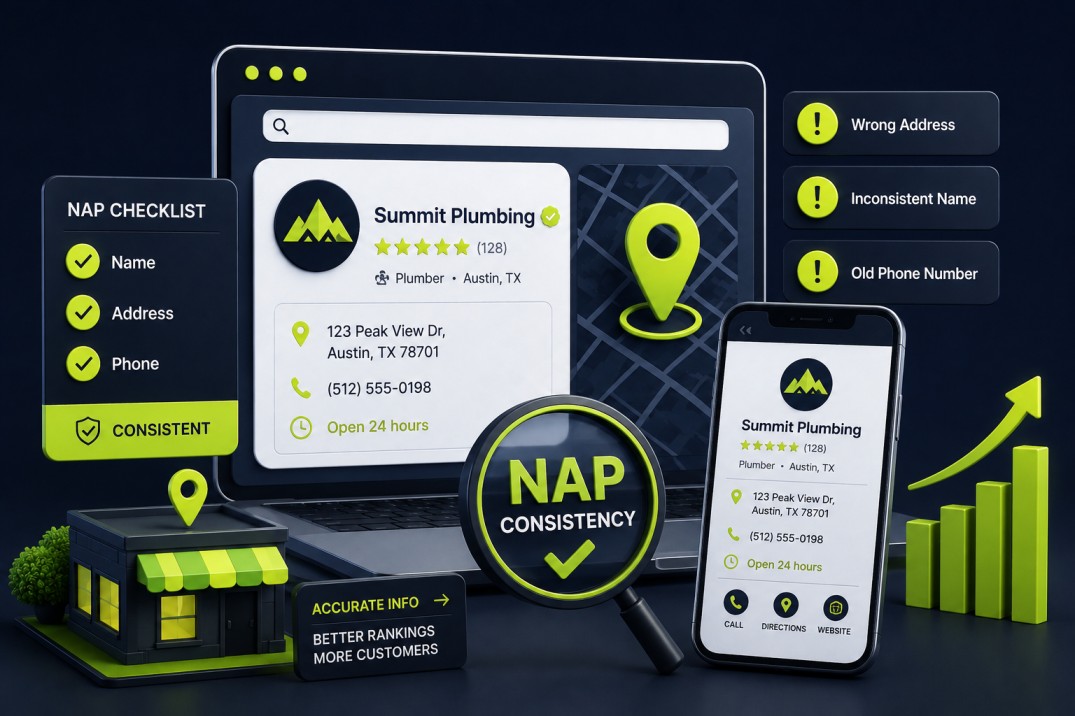
NAP consistency local SEO refers to keeping your business Name, Address, and Phone number identical across every platform where your business appears online, from your Google Business Profile to directory listings to your own website footer. For a single-location business, this is a manageable task. For a multi-location or franchise operation running five, twenty, or two hundred locations across Texas, it turns into a data management problem with real revenue consequences.
What Counts as Your NAP Data
NAP stands for Name, Address, and Phone number: the three core identity fields search engines use to confirm your business is a real, verifiable entity operating at a specific location. Consistency means these fields match exactly, character for character, everywhere your business is listed.
That said, the scope has widened. Search engines and AI answer systems now cross-reference business hours, website URLs, and category data as secondary consistency signals alongside the three core fields. NAP still sits at the foundation, though, because it answers the most basic question a search engine has to answer before it trusts anything else about a listing: is this a real business at a real place.
How One Wrong Suite Number Splits Your Rankings
Google’s local ranking systems evaluate relevance, distance, and prominence for every local search. NAP consistency feeds directly into prominence, which reflects how well-established and trustworthy Google considers a business based on information from across the web, not just from the business itself.
A single inconsistent listing rarely tanks rankings on its own. The real damage comes from volume and duplication. When a search engine finds “Suite 200” on your website, “Ste 200” on Yelp, and no suite number at all on a data aggregator feed, it has no reliable way to confirm these represent one location. In borderline cases it reads the mismatch as two separate, weaker entities instead of one strong one, which splits authority, splits review signals, and can eventually create a duplicate listing competing against your own primary profile.
We cover profile-level trust signals more broadly in our Texas Google Business Profile audit checklist, which touches on NAP consistency as one section among many. This article goes deeper because a multi-location business doesn’t have one NAP problem. It has the same problem multiplied by every location, every directory, and every past address change the business has ever made.
Four Ways Multi-Location Businesses End Up With Bad Data
Knowing where inconsistencies come from matters more than memorizing a checklist, because the fix depends on the cause.
Leftover data from address changes
When a location moves, relocates within the same building, or changes suite numbers, most businesses update their website and their Google Business Profile. Far fewer go back and correct the twenty or more secondary directories still carrying the old address.
Data aggregator propagation
A small number of data aggregators, including Data Axle, Foursquare, and TransUnion’s Digital Business Profile platform (formerly Neustar Localeze), supply business data to hundreds of downstream directories, GPS systems, and voice assistants. If your record is wrong at the aggregator level, that one error fans out automatically to every directory it feeds. Fixing ten individual directories accomplishes little if the aggregator behind them still has the old data.
Structural gaps in franchise and multi-location ownership
When a franchisor, a franchisee, and a local marketing agency all have some level of access to the same location’s listings, it’s common for one party to update information the others don’t know changed. This shows up constantly with multi-location clients who centralize marketing at the corporate level but leave local managers with informal edit access to individual profiles.
Formatting drift, not factual drift
This is the one most businesses miss entirely. “Street” versus “St,” “Suite 200” versus “Ste 200” versus “#200,” and a phone number formatted as (817) 555-0142 in one place and 817-555-0142 in another are technically identical information. But automated systems checking for consistency treat formatting variance as a discrepancy signal, particularly at scale across dozens of locations.
Auditing NAP Data Across Multiple Locations, Step by Step
Most NAP advice stops at “check your listings.” For a business running more than two or three locations, that’s not a workflow, it’s a wish. Here’s the process we run for multi-location and franchise clients.
1. Establish a single source of truth
Before auditing anything, define the exact, correctly formatted NAP for every location in a master spreadsheet or a location data management platform. This becomes the reference standard every other listing gets checked against. Skipping this step is the most common reason NAP cleanup projects stall, since there’s no agreed-upon “correct” version to fix toward.
2. Start the audit at the aggregator level
Check your data as it appears on Data Axle, Foursquare, and TransUnion Digital Business Profile before touching individual directories. Correcting the aggregator source stops new errors from continuing to spread while you clean up existing ones. Work directory-by-directory first without fixing the aggregator feed, and the same errors tend to resurface within months.
3. Run a full citation inventory per location
Search each location’s exact business name plus city in Google, and separately audit your presence on Yelp, Apple Maps, Bing Places, the Better Business Bureau, and any Texas Chamber of Commerce directories relevant to that market. For a business with locations across Dallas, Fort Worth, Austin, and San Antonio, that means running the inventory separately for each city, since a citation error in one market doesn’t indicate the same error exists elsewhere.
4. Check for duplicates, not just inconsistencies
Duplicates are the more damaging cousin of inconsistent NAP data. They usually happen when a location moves and a new profile gets created instead of the existing one being updated, when a franchisor and franchisee both create listings for the same address, or when an old employee or agency created a profile the current team can no longer access. Google only merges listings that represent the same business, at the same address, under verified ownership, so catching duplicates early avoids a much harder cleanup later.
5. Align your website’s structured data
Every location page on your website should carry LocalBusiness schema markup with the identical name, address, and phone number shown on the matching Google Business Profile. This is where web design and local SEO overlap directly, and it’s why our team builds multi-location website architecture with schema alignment as a launch requirement rather than something fixed after the fact.
6. Set a recurring audit cadence
NAP consistency isn’t a project with an end date for a multi-location business. New locations open, phone systems change providers, suites get renumbered, and directories periodically pull stale data from old sources. Run a full citation audit at least twice a year, and add a lighter monthly check focused on your highest-traffic locations.
How Location Count Changes Your Risk Profile
The table below is a rough guide, not a rigid rule, but it reflects the pattern we see across client accounts of different sizes.
| Factor | Single Location | Multi-Location (5-20 sites) | Franchise / Enterprise (20+ sites) |
| Primary risk | Formatting drift over time | Duplicate listings after relocations | Aggregator-level errors cascading across every site |
| Update ownership | One person or agency | Split between corporate and local managers | Franchisor, franchisees, and multiple agencies |
| Audit frequency | Every 6 months | Quarterly | Monthly for high-traffic locations |
| Recommended tooling | Manual spreadsheet | Spreadsheet plus a citation management tool | Centralized location data platform |
Where NAP Cleanup Crosses Into Spam
NAP cleanup should never drift into manipulation. Google’s Search Spam Policies explicitly prohibit misrepresenting your location, creating listings for locations you don’t staff during posted hours, and using keyword-stuffed business names to game local relevance. A legitimate multi-location NAP audit corrects inaccurate or outdated information. It never involves inflating a service area, listing a location your business doesn’t actually operate from, or creating multiple listings for one physical location to grab more map pack real estate. Businesses that treat NAP work as a data accuracy exercise, not a growth hack, tend to build the kind of local visibility that survives algorithm updates.
A Fort Worth, Waco, and Tyler Example
Picture a roofing company with locations in Fort Worth, Waco, and Tyler. Each has its own Google Business Profile, its own service area, and its own local competition. If the Fort Worth listing carries a slightly different phone number format than what appears on the company’s Data Axle record, that alone probably won’t sink Fort Worth’s rankings. But if the same inconsistency runs across all three locations, and the Tyler listing still shows an address the company vacated during a 2025 relocation, the business isn’t dealing with one small error anymore. It’s dealing with a systemic data problem undermining prominence signals at every location at once, which is a meaningfully harder and more expensive fix once it compounds.
This is also where national businesses expanding into Texas tend to run into trouble. A retail chain opening its first three Texas locations while already operating in a dozen other states often inherits NAP conventions that worked fine elsewhere but conflict with how Texas-based directories and Chamber of Commerce listings expect data formatted. Checking new-market entries against local formatting norms, not just against the company’s existing internal standard, catches this before it becomes a pattern across new locations.