Getting a mobile app across the finish line is one thing. Keeping it running well for the next three years is a different budget problem, and most Texas founders don’t find out until they’re already in it.
App launches consume nearly all of the initial development budget. The wireframes, the build phases, the testing sprints, the store submissions, the go-live crunch, it all costs what it costs. What catches founders off guard is what happens the morning after launch. The app is live, the development invoice is paid, and then the operating costs begin. They’re quieter than build costs, but they’re real, and they compound faster than most people expect.
This post is about that second budget, the one most development proposals leave out.
Why Post-Launch Costs Catch Founders Off Guard

There’s a psychological dynamic at work during the app development process. All of the financial attention lands on the build itself. Founders negotiate development rates, approve wireframe revisions, and track sprint costs carefully. Then the app ships, the celebration happens, and the assumption, often unspoken, is that the hard part is over.
It’s not.
A mobile app is not a piece of furniture. It doesn’t stay the same once it leaves the factory. Apple releases a major iOS update every September. Google pushes Android updates on a rolling cycle. Third-party APIs that your app depends on get deprecated, repriced, or retired. App Store policies change, sometimes requiring action within 60 days. Security vulnerabilities surface in SDKs that were perfectly safe at launch.
None of this is a development partner’s fault. It’s the nature of building software on top of platforms that other companies control. But it does mean that the app you spent $40,000 or $150,000 building will need consistent investment to stay functional, compliant, and competitive.
Most development proposals don’t cover this in detail. Not because agencies are hiding it, but because it sits outside the scope of the original contract. The result is a consistent pattern: Texas founders budget tightly for the build, launch successfully, and then face unexpected maintenance bills three to six months later without a financial plan to cover them.
If you want the complete picture of what happens before launch, the scoping decisions, the vetting process, and the development phases, our guide on how custom app development actually works covers that ground in full. This post picks up where that one leaves off.
The Four Categories of Mobile App Maintenance
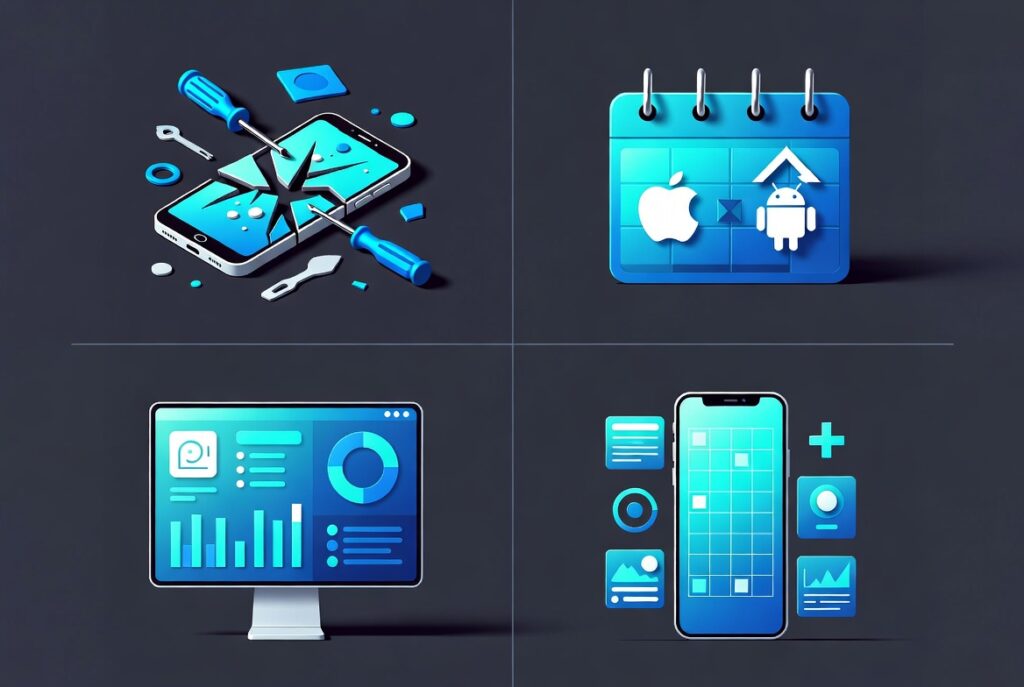
Understanding post-launch costs starts with understanding the different types of maintenance work. They aren’t all the same, and they don’t all carry the same urgency or price tag.
Reactive Maintenance: Bugs, Crashes, and Emergency Fixes

Reactive maintenance is what happens when something breaks. A specific device type triggers a crash. An API update breaks a checkout flow. A database query starts timing out under load. This work is unplanned by definition, which makes it the hardest to budget for.
The industry convention for reactive maintenance budgeting is to reserve 15 to 20 percent of the original development cost annually. For a $50,000 build, that means setting aside $7,500 to $10,000 per year before anything else. That number scales with complexity. A $150,000 app with integrations, custom APIs, and multiple user roles will generate more reactive work than a $30,000 MVP with three screens.
What eats reactive budgets faster than the crashes themselves is the diagnostic time. Finding out why a bug exists in a complex codebase often takes longer than fixing it. Budget for both.
Proactive Maintenance: OS Updates and Platform Compliance
Proactive maintenance is scheduled work done to prevent breakage rather than respond to it. The biggest driver is operating system updates.

Apple releases a major iOS version every fall. Each release changes how the operating system handles permissions, notifications, biometrics, background processes, and rendering. Apps built on older iOS APIs can begin behaving unpredictably on new devices or simply stop functioning. Google Play now requires apps to target Android API levels released within the last two years, and non-compliant apps get removed from the store, not flagged.
This isn’t optional work. It’s the cost of staying on the shelf.
For a moderately complex app, a single OS compatibility update cycle typically runs between $2,000 and $8,000, depending on how many breaking changes Apple or Google introduced. In years with significant platform changes and 2024’s Apple privacy manifest requirements were a significant change, that number can run higher.
Performance Maintenance: Analytics, Monitoring, and Optimization

After launch, you start getting data on how real users actually use your app. Crash rates by device and OS version. Session lengths. Drop-off points. Feature usage distribution. This data is only valuable if someone is watching it and acting on it.
A Firebase Analytics setup, paired with Firebase Crashlytics for crash reporting, is the standard starting point. But the tools don’t do anything without someone reviewing the dashboards regularly and translating the data into improvements. Whether that’s a development retainer or an internal technical hire, it costs money.
Performance maintenance also includes backend infrastructure. If your app connects to a server, that server needs monitoring, capacity management, and occasional scaling. Cloud infrastructure costs, whether on AWS, Google Cloud, or Azure, don’t stay flat as your user base grows. Budget for them to increase as traction builds.
Strategic Maintenance: Enhancements That Aren’t Actually “New Features”
This is the category that creates the most budget confusion.

Some post-launch work clearly counts as “new features”, you’re adding a capability that wasn’t in the original scope. But a lot of post-launch work lives in a gray zone. Redesigning an onboarding flow because user drop-off data shows 60% abandonment before account creation: is that maintenance or a feature? Rebuilding a payment integration because your original processor deprecated their API: maintenance or rebuild?
Most of the time, founders end up paying for this work without having planned for it because it wasn’t labeled clearly at the start. The distinction matters for budget planning. Strategic enhancements tend to run 25 to 40 percent of the original per-feature development cost each time the scope expands. That’s not trivial across a year of iteration.
What App Maintenance Actually Costs: A Realistic Budget Breakdown
The most useful benchmark is the 15–20% annual rule applied to your original development investment, but that’s a floor, not a ceiling. Here’s how it breaks down by app complexity tier:
Simple Apps (3–8 screens, no complex integrations, $15,000–$40,000 build cost) Annual maintenance budget: $3,000–$8,000 This covers one OS update cycle, basic crash monitoring, and a quarterly bug-fix retainer. Doesn’t account for strategic enhancements.
Mid-Complexity Apps (10–20 screens, third-party integrations, payments, $40,000–$100,000 build cost) Annual maintenance budget: $8,000–$20,000 Covers two OS update cycles, active performance monitoring, dependency audits, App Store compliance updates, and limited strategic iteration.
Complex Apps (custom backend, multiple user roles, real-time features, $100,000+ build cost) Annual maintenance budget: $20,000–$50,000+ Includes dedicated monitoring, monthly retainer for reactive work, infrastructure scaling, security audits, and continuous platform compliance.
Texas-based agency retainer rates for app maintenance currently run between $100 and $180 per hour for senior engineers. Offshore teams can run $25 to $60 per hour but introduce timezone and communication overhead that often erodes the cost advantage during emergency incidents.
The real cost mistake is treating maintenance as a zero-budget line item until something breaks. That forces emergency billing at premium rates and often costs more than a properly structured retainer would have.
A working relationship with a mobile app development company in Texas that offers post-launch support agreements puts a fixed cost on unpredictable work, which is almost always worth the premium over on-demand emergency rates.
Apple and Google’s Update Cycles — and What They Cost Your Timeline
Both major platforms operate on predictable but demanding update schedules. Understanding them turns surprise costs into planned costs.
Apple’s Annual Cycle: Apple typically announces iOS updates at WWDC in June and releases the major version in September. Developers get three months of beta access before the public launch. That window is your planning window. Any app that depends on deprecated APIs or uses frameworks Apple has flagged needs to be updated before the public release hits. The App Store Review Guidelines are updated alongside each major iOS release and outline exactly what compliance is required from developers at each stage.
Missing that window doesn’t just mean users on new iPhones have a worse experience. Apple can flag or remove apps that fail to meet new SDK requirements, particularly around privacy. The 2024 privacy manifest requirement — which required apps to declare usage of certain APIs and third-party SDKs in a structured manifest file — caught a significant number of smaller development teams unprepared, including apps built by otherwise solid Texas agencies that simply didn’t track Apple’s developer communications.
Google’s Moving Target: Android’s update cycle is messier. Google doesn’t ship annual major releases on a predictable consumer timeline the way Apple does. Instead, it sets target API level requirements that apps must meet to remain available on Google Play. Google Play’s target API level requirements specify that new apps must target API level 34 (Android 14) and existing apps face removal if they fall more than two levels behind.
Android’s fragmentation challenge, the fact that users run dozens of different Android versions across thousands of device models, means that testing an update isn’t just running it on three devices. A proper QA pass on an Android update involves device emulation across a meaningful slice of your actual user base’s hardware. That takes time, and time is budget.
Budget Implication: Plan for one to two OS update engagements per year, every year. Put them on the calendar in January, even if you don’t know exactly what they’ll require yet. A fixed budget line is better than a reactive surprise.
The Third-Party Dependency Problem
Most mobile apps don’t run on code you wrote alone. They depend on external services and libraries. Payment processors. Mapping services. Authentication providers. Analytics SDKs. Notification services. Push messaging platforms. Each of these is a dependency, and each one is controlled by a company that can change its API, its pricing, or its existence without your consent.
Stripe has changed its API multiple times, requiring mobile app updates to maintain payment functionality. Twilio repriced its SMS services in ways that broke some apps’ unit economics. Firebase has modified its SDK structure in ways that required app updates to maintain compatibility. Google Maps’ pricing model changed dramatically in 2018 and caught a large number of app teams completely off guard.
This is not fear-mongering. Third-party services are a rational choice; building your own payment infrastructure from scratch would cost ten times as much as using Stripe. But each integration is a dependency risk that belongs in your maintenance budget calculation.
How to audit your dependency risk: Before launch, produce a complete inventory of every third-party service your app calls. For each one, note: the API version you’re using, the provider’s published deprecation timeline if any, the monthly cost, and the estimated effort to replace it if they sunset the service. That document becomes your risk register for ongoing maintenance planning.
Most development agencies won’t produce this document without being asked. Ask for it.
App Store Fees, Submission Overhead, and the Costs Nobody Mentions
These are small costs individually, but they’re real operating costs that belong in your budget.
Apple Developer Program: $99/year, required to publish on the App Store. Non-negotiable.
Google Play Developer Account: One-time $25 registration fee. No annual fee, but Google Play’s compliance requirements have their own cost in engineering time.
App Review Time: Apple’s average review time is 24 to 48 hours for routine updates, but reviews can take up to seven days if Apple’s automated systems flag something for manual review. For a bug fix that your users are waiting on, that’s a meaningful delay. Build it into your incident response planning.
App Review Rejections: When an update gets rejected, the engineering cost isn’t just fixing the rejection reason. It’s diagnosing why the rejection happened, often without clear explanation from Apple, making the fix, resubmitting, and waiting through another review cycle. Budget at least four to eight engineering hours per rejection event.
In-App Purchase Compliance: Apple takes 15–30% of in-app purchase revenue, and the framework governing how purchases are presented and processed changes periodically. These changes require engineering updates that are not optional — non-compliance results in rejection or removal.
Privacy Compliance: App Tracking Transparency (ATT), privacy nutrition labels, and data deletion request workflows all require ongoing maintenance as regulations and platform policies evolve. In Texas, this intersects with data privacy considerations that are increasingly relevant as state-level privacy legislation develops.
In-House, Agency Retainer, or On-Demand: Choosing Your Maintenance Model
There are three ways to staff app maintenance, each with different cost profiles and risk tolerances.
In-House Technical Hire: The right choice when your app is core to your business model and you have enough ongoing technical work to justify a full-time engineer. Typical Texas salary for a mid-level mobile developer is $90,000–$130,000 per year plus benefits and equity. This model gives you the fastest response time and deepest codebase knowledge, but it’s only economically rational above a certain product complexity and maintenance volume.
Agency Retainer: A monthly agreement with a development agency for a fixed number of hours covers predictable maintenance work: OS updates, minor bug fixes, monitoring, and a defined scope of reactive support. Retainer rates with Texas-based agencies typically run $2,500–$7,500/month depending on scope and agency tier. The advantage is cost predictability. The limitation is that retainer hours don’t always align perfectly with actual maintenance demand, which is lumpy by nature.
On-Demand / Project-Based: You engage a developer or agency when something breaks or when you need a specific update completed. This sounds cheaper but rarely is. Emergency rates are higher. Context-switching costs for a developer who isn’t familiar with your codebase eat time. And gaps between engagements can allow technical debt to accumulate faster than it would under continuous maintenance.
For most Texas startups and SMBs running a mobile app that isn’t their core product, a lightweight retainer, 10 to 15 hours per month with a trusted agency, is the most practical model. It covers the scheduled OS work and gives you a buffer for reactive issues without the cost of a full-time hire.
If you worked with a mobile app development agency for your original build, ask them directly about a post-launch support agreement before the project closes. Transitioning to a new agency for maintenance is possible but adds onboarding cost. Continuity with the team that built the app is almost always the more efficient path.
What Happens to Apps That Don’t Get Maintained
This is the part development agencies rarely walk clients through, because it requires discussing the downside scenario. It’s worth understanding clearly.
App Store Removal: Google Play actively removes apps that fail to meet current API level targeting requirements. Apple has removed apps that violated new privacy requirements without warning. If your app gets removed from either store, your users can’t download it, and existing users may lose functionality when they upgrade their OS. Recovery requires an emergency update cycle, resubmission, and a waiting period — during which your app is unavailable.
Security Vulnerabilities: SDKs and libraries that shipped clean at launch develop known vulnerabilities over time as security researchers find problems and publish them. An unmaintained app accumulates these vulnerabilities without fixes. The risk is proportional to what the app handles: an app that stores user credentials, processes payments, or holds personal data has material security exposure if known SDK vulnerabilities go unpatched.
Rating Decay: Users who encounter bugs leave one-star reviews. Review scores compound over time, and a rating that falls below 4.0 measurably reduces organic downloads. This is a commercial consequence, not just a technical one. An unmaintained app with degrading user experience will gradually lose its organic discovery advantage in app store rankings.
The Rebuild Decision: If maintenance gets deferred long enough, the rebuild conversation becomes unavoidable. Technical debt compounds. The codebase drifts so far from current platform requirements that catching up costs more than starting fresh. This is the most expensive outcome of under-investing in maintenance, and it’s entirely preventable with a structured post-launch budget.
The Maintenance Conversation to Have Before You Sign a Development Contract
The best time to plan for post-launch maintenance is before the development contract is signed. Here are the specific questions worth asking:
- Do you offer a post-launch support retainer, and what does it cover?
- Will you provide complete source code, documentation, and API credentials at project close?
- What is your process for handling OS update compatibility work after go-live?
- Can you provide a dependency inventory listing all third-party services and SDKs used in the build?
- What happens to in-scope bug fixes discovered within 30 days of launch?
- Do you offer a maintenance SLA that defines response times for different issue severities?
A development agency that gives evasive answers to these questions is signaling that post-launch support is not a structured part of how they operate. That’s useful information to have before you commit.
Good development partnerships treat the post-launch relationship as the beginning of a longer engagement, not a contract close. The build is where the project starts. The ongoing maintenance is where the business investment either delivers return or quietly deteriorates.
Planning Your Post-Launch Budget From Day One
Texas founders who budget for app maintenance upfront make better development decisions overall. They tend to choose more maintainable technology stacks. They negotiate for cleaner documentation. On top of that, they prioritize dependency management in the original scope. All of this pays back in lower maintenance costs over the app’s lifetime.
The practical starting point is simple: take your projected development budget, multiply it by 20 percent, and put that number on an annual line in your financial model before you write the first development check. Treat it as a non-negotiable operating cost, like hosting or insurance.
For most Texas startups, a mobile app represents a significant piece of the company’s digital infrastructure. Building it well matters. Maintaining it well is what determines whether that investment keeps paying off or slowly becomes a liability. If you’re currently planning an app build or evaluating whether your existing app has the right post-launch support structure, our mobile app development service is worth a conversation. We cover this planning work as part of every engagement because the apps we build are expected to support long after go-live.